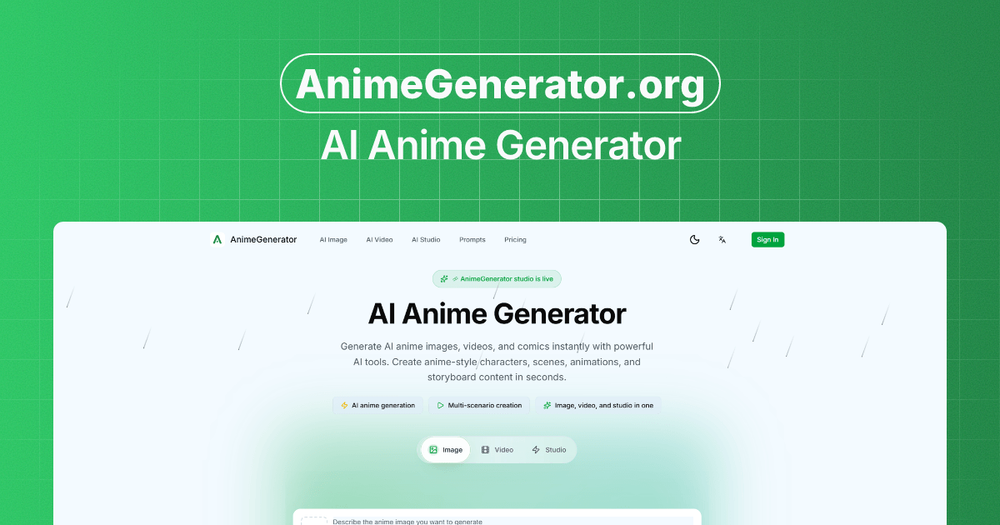
Introduction
AnimeGenerator is an AI creation platform for generating anime images, videos, and motion comic content from prompts, references, and dedicated production modes. The public site presents it as a browser-based workspace for characters, scenes, storyboards, shot design, voice, lip sync, subtitles, and multi-format export. It is most relevant for creators who need anime-style visual assets or short-form story content, while careful users should verify credit usage, output rights, model availability, and quality fit before building a production workflow around it.
Key Features
- AI anime image generation with prompt-based creation, model selection, aspect ratio choices, optional references, and iterative refinement.
- Dedicated modes for image, video, and studio workflows, including formats for reels, shorts, episodes, and motion comic scenes.
- Story scripting tools that generate plot arcs and scenes from prompts.
- Storyboard and shot design features for creating shot lists and composition guides.
- Character library support for reusable character sheets and more consistent recurring visuals.
- AI voice, lip sync, auto editing, subtitles, and multi-format export for switching between vertical and landscape layouts.
Use Cases
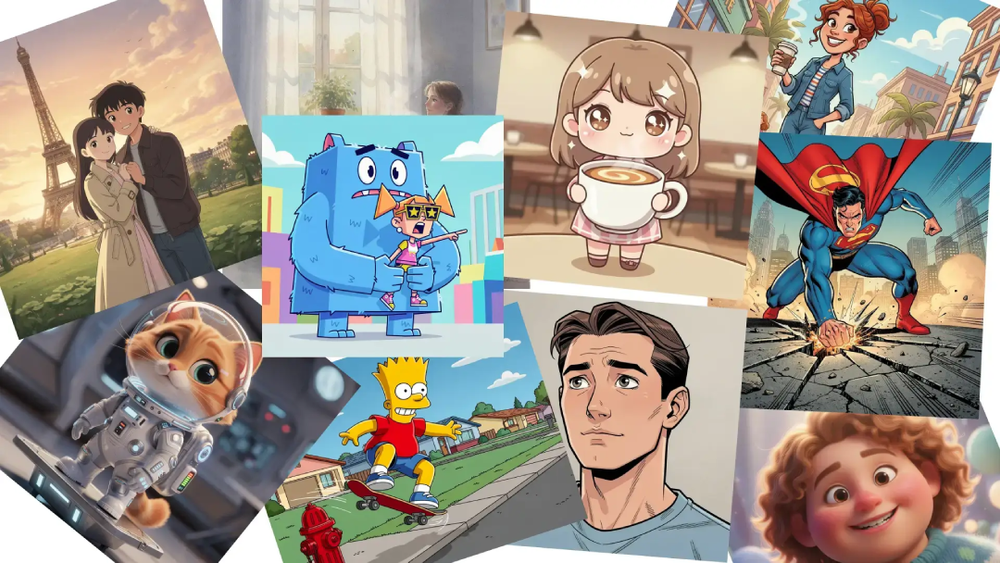
AnimeGenerator appears useful for creators who want to move from a visual prompt to anime-style images without manually building every composition from scratch. The AnimeGenerator homepage shows prompt examples for portraits, character concepts, cinematic scenes, chibi-style art, retro anime looks, and vertical social formats. This makes the product relevant for concept exploration, cover imagery, social posts, and early visual direction.
The platform also targets motion comic and short-form video workflows. Visible site copy refers to story scripting, storyboard generation, shot design, character reuse, AI voice, lip sync, auto pacing, captions, and exports for vertical and landscape formats. That combination suggests a product aimed at solo creators, small teams, storytellers, and social video producers who need a repeatable structure for anime-style scenes rather than one-off images only.
For client or campaign work, AnimeGenerator may help organize visual ideas into a reviewable sequence. The public page includes signals around structured outputs, scene setup, character continuity, and stakeholder review, but those should be treated as product-positioning claims rather than independently verified results. Teams should test whether the generated style, consistency, resolution, and commercial rights match their actual use case.
Pricing
AnimeGenerator offers a free plan and paid monthly or yearly subscriptions, plus one-time credit packages. The pricing page lists a Free plan with limited free credits, starter image generation access, basic video models for short clips, up to 5-second video generation, up to 480p export, 1 concurrent generation job, standard queue, and community support. Paid tiers shown in the fetched evidence include Basic, Pro, and Ultimate plans with larger monthly credit allowances, access to GPT Image 2 and Nano Banana 2, multiple video models such as Seedance, Veo, and Kling, higher output resolutions depending on model, more concurrent jobs, private videos, and higher support or access levels on larger plans. Extra credit packs are also available, but the evidence says package credits are valid for 1 month and are available only to paid subscribers.
User Experience and Support
The visible workflow is framed around a simple image-generation sequence: write the prompt, choose the model and ratio, add references if needed, then generate and refine. The site also includes a gallery-like inspiration area where users can inspect example prompts and model choices, which may help new users understand the level of detail expected for specific anime styles or scene types.
Support information is more visible than on many small AI tools. The free tier mentions community support, credit packs mention standard support, the highest subscription tier mentions priority support, and the pricing page provides a contact email for questions. Users should still confirm response times, refund terms, content policy rules, and how support handles failed generations or credit disputes.
Technical Details
AnimeGenerator is presented as a browser-based AI anime generation platform with image, video, and studio modes. The fetched pricing evidence mentions image generation with GPT Image 2 and Nano Banana 2, video models including Seedance, Veo, and Kling, audio-video sync for avatar workflows, concurrent generation jobs, generation queues, private videos, watermark controls on higher plans, and export resolutions that vary by model.
The site also states that payments are processed by Stripe. It does not clearly expose an API, SDK, plugin, self-hosted deployment option, or model-control documentation in the available evidence. Users with technical requirements should verify export formats, resolution limits by model, privacy settings, commercial usage boundaries, and whether generated assets can fit their editing, publishing, or production pipeline.
Pros and Cons
Pros
- Clear focus on anime images, videos, and motion comics rather than generic image generation only.
- Visible support for prompt writing, model and ratio selection, reference images, and iterative refinement.
- Production-oriented features include story scripting, storyboard design, character library, voice, lip sync, subtitles, and multi-format export.
- Pricing information is detailed, including free access, subscription tiers, credit counts, one-time credit packs, and support levels.
- The homepage provides many prompt examples, which can help users understand possible visual directions.
Cons
- Output quality, consistency, and rights still need to be tested against the user's specific project requirements.
- Higher resolution, private videos, no watermark, commercial usage rights, and priority support appear tied to paid tiers.
- Extra credit packages are available only to paid subscribers and expire after 1 month, according to the pricing copy.
- The available evidence does not show an API, plugin workflow, or deeper technical documentation.
- AI generation costs can be difficult to predict without testing how many credits a typical image, video, or motion comic workflow consumes.
FAQ
What is AnimeGenerator used for?
AnimeGenerator is used to generate anime-style images, videos, and motion comic content. The public site describes tools for creating characters, scenes, storyboards, short videos, and preview-ready anime content from prompts and dedicated creation modes.
Who is AnimeGenerator best suited for?
AnimeGenerator appears suited for indie creators, storytellers, short-form video producers, motion comic creators, content teams, and anyone exploring anime-style visual production. It is especially relevant when a project needs recurring characters, visual prompts, storyboard structure, or vertical social formats.
What creation modes does AnimeGenerator show publicly?
The site shows image, video, and studio modes, along with image-to-image workflows, model selection, aspect ratio choices, reference images, prompt refinement, story scripting, storyboard and shot design, character library, AI voice, lip sync, auto editing, subtitles, and multi-format export.
Does AnimeGenerator offer a free plan?
Yes. The fetched pricing copy lists a Free plan with limited free credits, starter image generation access, basic video models for short clips, up to 5-second video generation, up to 480p export, 1 concurrent generation job, standard queue, and community support.
What should users check before paying for AnimeGenerator?
Users should confirm current credit costs, model availability, output resolution by model, commercial usage rights, watermark rules, private video availability, refund terms, and how long purchased credits remain valid. These details affect both creative flexibility and project budgeting.
Can AnimeGenerator help with motion comics or story videos?
The public site explicitly mentions motion comics, story scripting, storyboard and shot design, AI voice, lip sync, auto editing, subtitles, and multi-format export. That suggests it is designed for more than static images, though users should test whether the workflow fits their pacing, continuity, and editing expectations.
Does AnimeGenerator include support?
The pricing evidence mentions community support on the free plan, standard support for credit packs, and priority support on the highest subscription tier. The pricing page also lists a contact email for questions.
What technical details are visible for AnimeGenerator?
The visible pricing copy mentions GPT Image 2, Nano Banana 2, video models including Seedance, Veo, and Kling, concurrent generation jobs, output resolution limits, audio-video sync, private videos, no-watermark options, and Stripe payment processing. The evidence does not clearly show an API or SDK.
Conclusion
AnimeGenerator is a specialized AI anime creation platform for users who want prompt-based images, video scenes, storyboards, and motion comic assets in one workflow. Its public pages provide strong evidence for creative modes, pricing tiers, credit packs, support levels, and model-related capabilities. The main evaluation step is practical testing: users should confirm whether the generated style, credit consumption, rights, and export quality match the content they plan to publish.