Power Up Tools Review
Introduction
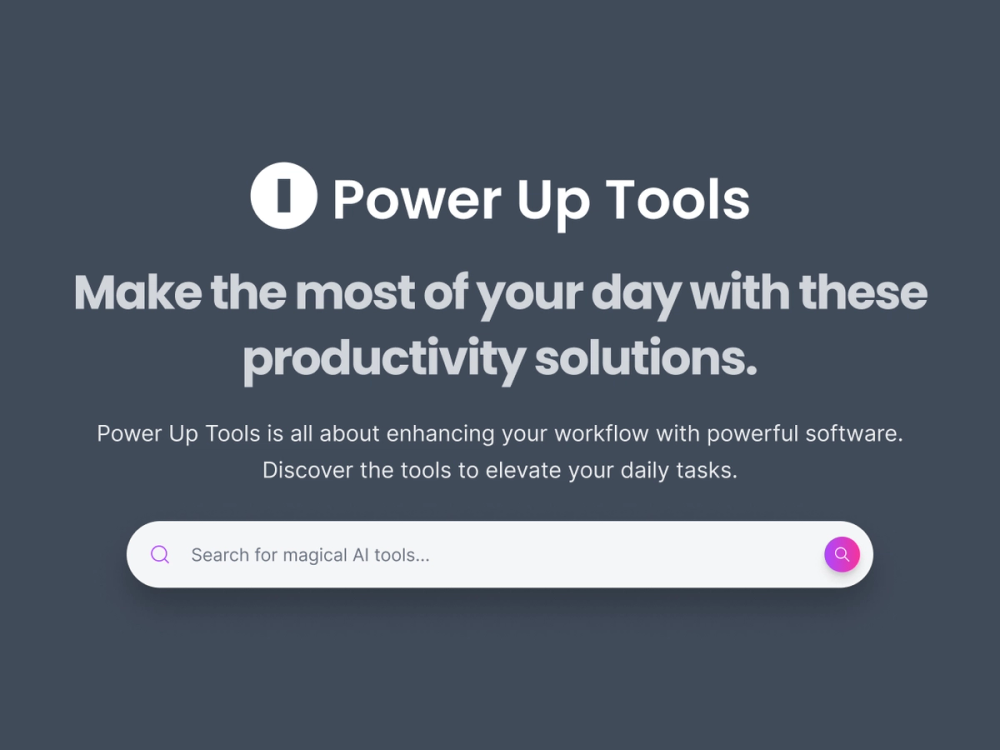
Power Up Tools is an AI tools directory focused on products that help people work faster and produce better output. Based on the public site, it organizes tools around practical workflows such as productivity, automation, coding, design, and day-to-day execution. That makes it most relevant for professionals, creators, marketers, analysts, and operators who want a curated place to discover software tied to real work.
The site presents itself as a directory built around performance gains rather than a single software product with one fixed workflow. Instead of offering one core app experience, it helps visitors browse a growing collection of AI tools by category, use case, and listing context. The visible positioning is straightforward: help users compare tools that may save time, improve quality, or reduce repetitive work.
Key Features
- Broad category coverage across areas such as AI assistants, APIs, analytics and data, automation, design tools, SEO, writing, web development, and more.
- A latest-tools view that highlights newly added products, giving visitors a quick way to scan recent entries.
- Category-based navigation that helps users narrow discovery by workflow or product type.
- Listing cards that surface practical context such as category labels, short descriptions, and visible pricing markers like Free, Free Trial, Freemium, or Paid.
- A public submission flow through the "Submit a Tool" page, which indicates that founders can propose their own products for review.
- An FAQ section that explains who the directory is for, how comparison works, whether it is free to browse, and how often listings are updated.
Use Cases
Power Up Tools is useful for people who are still in the discovery stage and want a faster way to scan the AI software landscape. A marketer looking for campaign automation, a creator comparing writing or design tools, or a business user reviewing productivity software can use the category structure to move toward a shortlist more quickly.
It also fits founders and indie builders who want another distribution channel for visibility. Since the site includes a submission path and appears to review entries before adding them, it can work as a directory-style placement opportunity for teams that want to put their product in front of users actively browsing for tools.
A third use case is lightweight comparison. The site says that each listing includes pricing, category context, and practical use case details, which helps users review similar products within the same workflow area. It is not a deep analyst platform from what is publicly visible, but it does look designed for efficient exploration and first-pass evaluation.
Pricing
Power Up Tools appears to be free to use for browsing and comparing listings. The public FAQ states that using the directory itself does not cost anything, while individual products inside the directory may follow their own pricing models such as free, freemium, trial-based, or paid plans. The site also visibly labels many listings with pricing cues, which is helpful for early filtering. However, the public pages do not clearly expose any paid membership or premium access model for the directory itself.
User Experience and Support
From the visible structure, the user experience is built around browsing, filtering by category, and scanning concise listing summaries. The navigation highlights sections such as Latest, Explore, Search, and Submit a Tool, which suggests a simple discovery-first layout rather than a complex onboarding flow. For visitors who already know the workflow they care about, that structure should make the directory relatively easy to use.
Support details are limited on the public pages reviewed here. There is an FAQ, along with standard footer links such as Terms & Conditions and Privacy Policy, but no clear public evidence of live chat, detailed documentation, or a dedicated support center was visible in the extracted source. For a directory product, that may be acceptable, but it is still a limitation worth noting.
Technical Details
The site is clearly positioned as a web-based AI tools directory, and the visible taxonomy includes technical categories such as APIs, Chrome Extensions, Dev Tools, Web Development, and Analytics & Data. That tells users the directory covers both technical and non-technical software segments instead of focusing only on general productivity apps.
That said, the public source evidence does not clearly expose the platform's own underlying stack, API offering, or deeper technical architecture. There is not enough visible information to make reliable claims about frameworks, integrations, developer tooling, or backend design. The safest conclusion is that Power Up Tools is a browser-based discovery directory with structured category organization, while deeper technical specifics are not clearly disclosed on the public-facing pages reviewed.
Pros and Cons
Pros
- Strong category breadth for users exploring AI tools across multiple workflows.
- Clear discovery orientation with latest listings, category browsing, and submission access.
- Useful pricing visibility on listings, which can help narrow options quickly.
- Free browsing lowers friction for users who just want to compare tools.
- Practical positioning around output, productivity, and automation makes the purpose easy to understand.
Cons
- Public support resources are not clearly detailed beyond a visible FAQ and policy links.
- The extracted page content is dense in places, which may make some sections feel crowded when scanning.
- Technical details about the directory platform itself are limited on the public site.
- Comparison depth appears suitable for discovery, but not necessarily for full due diligence.
- Some of the most useful product context depends on the quality and consistency of individual listings.
Conclusion
Power Up Tools looks like a practical AI tools directory for people who want to discover products tied to productivity, automation, coding, design, and related workflows. Its value is clearest at the browsing and shortlisting stage, where category structure, listing summaries, and visible pricing cues help users move faster.
For readers who want a free place to explore AI software or founders who want another place to submit a product, Power Up Tools appears useful and easy to understand. The public site does not reveal every operational or technical detail, but it does present a clear directory experience built around discovering tools that improve everyday work.