Introduction
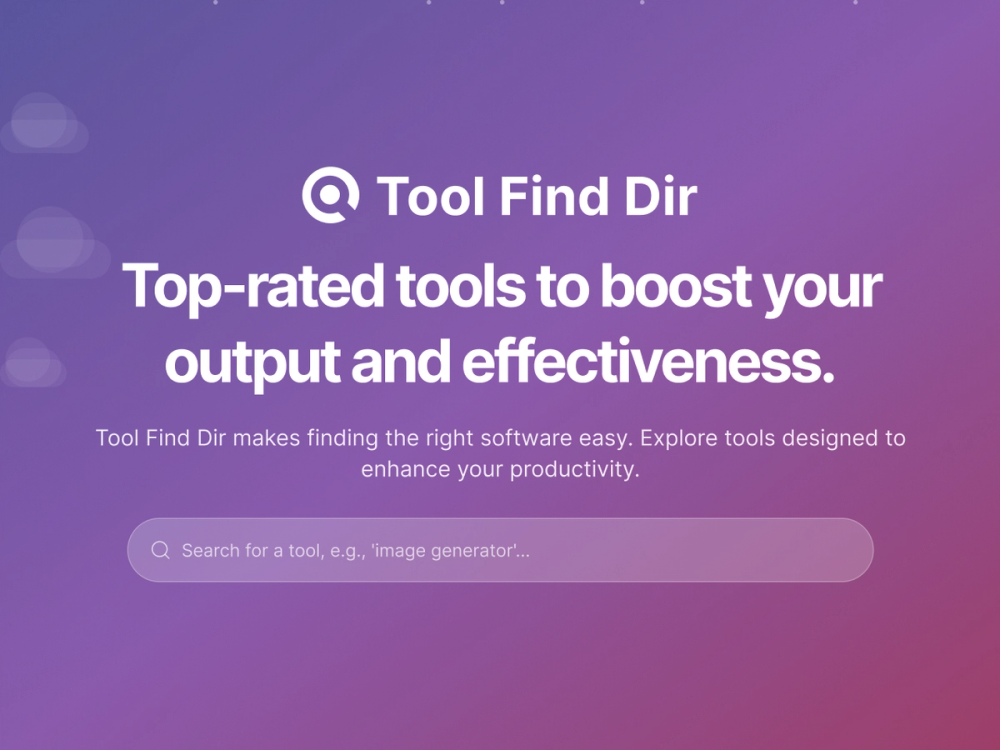
Tool Find Dir is an AI tools directory designed to help users discover software by category, pricing, and workflow need. The public site is most useful for people comparing AI writing tools, coding assistants, design software, marketing tools, automation products, and other AI-enabled applications without starting from a blank search page.
The clearest value is structure: Tool Find Dir groups products into recognizable categories and gives visitors enough listing context to narrow their options. A careful reader should still verify each listed product's own pricing, terms, support, and feature claims on the product's official website before relying on it.
Key Features
- Organized AI tool discovery across categories such as Writing, Dev Tools, Design Tools, Marketing, SEO, Image Generation, Productivity & Management, and Web Development.
- Product listings that include short descriptions, giving users a quick way to understand what each tool appears to offer before opening a detailed page.
- Search and navigation options for exploring the latest tools, featured AI tools, and category-based collections.
- Pricing-oriented discovery signals, with the site presenting itself around category, pricing, and workflow fit.
- A submission path for makers who want to suggest an AI tool for review before it appears in the directory.
- Free browsing for visitors who want to compare AI tools without paying to use the directory itself.
Use Cases
Tool Find Dir fits users who need a faster way to shortlist AI software for practical work. A content creator might browse writing or content creation categories, while a developer may compare code assistants, plugins, or web development utilities. The directory format is especially helpful when the user knows the workflow problem but has not yet chosen a specific vendor.
It also appears useful for marketers, founders, and researchers tracking new AI products across fast-moving categories. The site highlights latest tools and featured tools, which can help users spot emerging options in SEO, automation, analytics, business finance, social media, and productivity.
For product makers, Tool Find Dir provides a visible submission route for adding an AI tool. The site says submitted entries are reviewed before being added, so makers should treat it as an editorial submission path rather than an instant publishing guarantee.
Pricing
Tool Find Dir states that browsing the directory, viewing listings, and comparing AI tools is free. The individual AI products listed inside the directory may have their own pricing models, so visitors should confirm subscription costs, usage limits, trials, and refund terms on each tool's official site before making a purchase decision.
User Experience and Support
The public page presents a straightforward directory experience built around search, latest listings, category browsing, and product submission. Categories cover a wide range of AI and software needs, including Business & Finance, Chatbots, Chrome Extensions, Customer Support, Education & Learning, Image & Photo, Legal, Mobile Apps, No Code & Low Code, Real Estate, Speech & Voice, Trading, Video, and more.
Support details are limited on the fetched page. The site includes quick links such as Terms & Conditions and Privacy Policy, and it answers several directory-focused questions in its FAQ. Users who need direct help, listing corrections, or partnership information should look for contact details on the live site before assuming a specific support channel is available.
Technical Details
The visible evidence describes Tool Find Dir as a web-based AI tools directory rather than a developer API, SDK, browser extension, or downloadable application. Its technical structure is presented mainly through public navigation, search, category pages, listings, and a submission page.
No public API, integration documentation, authentication method, or technical stack is clearly described in the fetched evidence. For most visitors, the relevant technical question is whether the directory provides enough filtering, categories, and listing context to support their software discovery workflow.
Pros and Cons
Pros
- Clear category structure makes it easier to browse AI tools by workflow rather than by generic search results.
- Free access lowers the barrier for users who want to compare tools before visiting vendor websites.
- The directory covers many practical categories, from writing and coding to marketing, finance, image generation, and productivity.
- The submission option gives AI tool makers a route to propose new entries for review.
Cons
- Only the primary page was available in the fetched evidence, so deeper details about moderation, ranking criteria, and listing update policies should be verified on the live site.
- Product claims inside listings still need confirmation on each vendor's official website.
- Support options are not fully clear from the visible page, which may matter for makers requesting listing changes.
- The site presents many categories, so users may still need to compare several similar tools before finding the best fit for a specific workflow.
FAQ
What is Tool Find Dir?
Tool Find Dir is an AI tools directory for discovering software across categories such as writing, coding, design, marketing, automation, SEO, productivity, and image generation. It is built to help users find AI tools by category, pricing, and workflow need.
Who is Tool Find Dir best suited for?
Tool Find Dir is best suited for people evaluating AI software for real tasks, including content creators, developers, marketers, founders, and researchers. It is also relevant for makers who want to submit an AI tool for possible inclusion in the directory.
Is Tool Find Dir free to use?
The public FAQ says browsing the directory, viewing listings, and comparing AI tools is free. Pricing for the individual tools listed in the directory is separate and should be checked on each product's own website.
What kinds of AI tools does Tool Find Dir cover?
The site says it covers AI tools across writing, coding, design, marketing, automation, and niche workflow needs. Visible categories also include areas such as business finance, customer support, education, health, legal, SEO, social media, video, web design, and web development.
How can users compare products on Tool Find Dir?
The site suggests using category and pricing filters to narrow the field, then reviewing listings that serve the same workflow or use case. This makes the directory more useful as a shortlist builder than as a final replacement for checking each product's official documentation.
Can makers submit their own AI tool?
Yes. Tool Find Dir states that users can submit an AI tool through the submission page and that entries are reviewed before being added to the directory. Makers should prepare accurate product information and should not assume automatic approval.
What should users verify before relying on a listed tool?
Users should verify the listed tool's current pricing, feature limits, data policies, commercial usage rights, integrations, and support options on the vendor's official website. Directory listings are useful for discovery, but purchase and adoption decisions usually require direct confirmation from the product owner.
Conclusion
Tool Find Dir offers a structured way to discover AI tools across practical categories and workflow needs. Its strongest fit is early-stage research: finding relevant options, comparing similar listings, and deciding which product pages deserve closer review.
For visitors, the directory is a free discovery layer rather than a final source for every product detail. For makers, the submission route may be useful, provided they understand that entries are reviewed before appearing on the site.